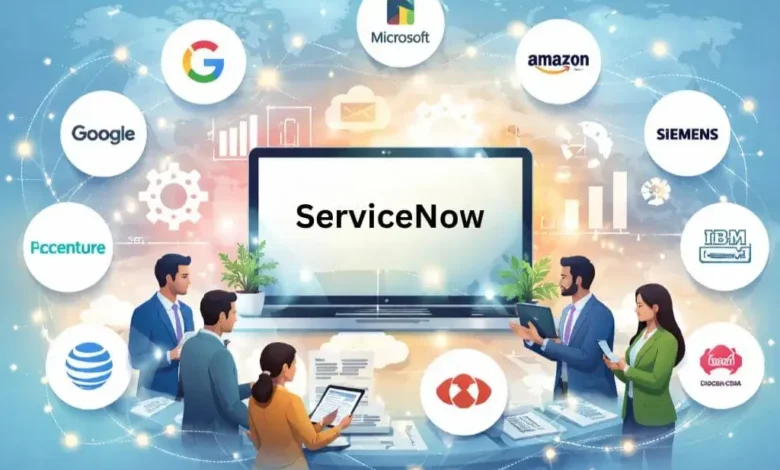
Organizations are utilizing different business systems to organize work, collaborate, and drive change in a world that is changing rapidly socially and economically. However, managing these systems in isolation can create operational friction, reduce productivity, and decrease visibility across functions. This is the role of ServiceNow Integration Services. With ServiceNow, organizations can gather together all the elements of complex workflows, connect data from multiple platforms, and respond to business needs faster by connecting world-class software, platforms, and tools into a single digital backbone.
Why Integrate Business Systems with ServiceNow?
Integrating enterprise-critical applications to ServiceNow provides strong differentiators:
- Single Source/Single Experience: ServiceNow becomes a single source of data for all information captured by open applications, gaining transparency, visibility and collaboration across teams.
- Automation and Efficiency: ServiceNow automates common processes, allowing the user to track incidents, HR onboarding, or assets without manual processing.
- Improved Experience: Users are exposed and ultimately only need to engage with a single and user-friendly interface leveraging and powered by ServiceNow, enabling more organized service delivery, as well as self-service.
- Agility and Scalability: Integrations provide an option for flexibility, scale, and adapt or change business systems as business matures with very little disruptions due to ServiceNow’s tough mentor.
How ServiceNow Integration Works?
ServiceNow offers an extensive range of tools and APIs for seamless integration with virtually any external system:
- REST and SOAP APIs: ServiceNow offers REST APIs and SOAP endpoints for safe and real-time exchange of data with other applications.
- IntegrationHub: A low-code experience where you can create, change, and manage integrations with standard connectors to popular providers like Salesforce, Microsoft, or SAP.
- Authenticated and Secured: In addition to standard integrations, all integrations will automatically use OAuth, basic authentication, or certified solution methods that protect organization’s sensitive business data.
Ultimately you can always customize, supported through ServiceNow Development Services for your organization’s specific requirements, including customized flows, field mappings, and governance.
Top 10 Business Systems You Can Integrate with ServiceNow
Below is a comprehensive outline of major business systems, each providing specific advantages and sample workflows for using ServiceNow.
1. Microsoft 365 and Teams
Integrating Microsoft 365 and Teams with ServiceNow aligns all communications, boosts productivity, and reduces response time on support tickets or approvals. Teams channels can get real-time ServiceNow notifications; users can submit IT requests through chat; and ServiceNow Virtual Agent can respond to common queries in Teams, enhancing collaboration between IT and the business units.
2. Salesforce CRM
Integrating Salesforce CRM with ServiceNow supports customer services, sales, and IT. This integration allows incident tickets and sales opportunities to sync, so support personnel can quickly understand the customer context. Workflows can automate escalation of cases between systems to guarantee critical items are resolved quickly and communication between departments is effective and visible.
3. SAP ERP
By linking SAP ERP to ServiceNow, finance, procurement, and human resources activities are able to integrate service workflows with enterprise resource management. For example, an incident for some important asset that is being tracked in SAP could automatically create a ticket in ServiceNow—workflow automation could also speed up purchase order approvals or have asset inventory changes in SAP and ServiceNow with minimal manual interaction.
4. Jira Software
Jira is a good tool for agile development teams and using it with ServiceNow builds a more consistent collaboration experience between IT and the business. Help desk tickets in ServiceNow can create Jira issues, or the other way around. This means engineering and IT can see the issues associated with bug fixes, enhancement requests and production incidents from one location. When ServiceNow and Jira are co-synced, it makes it much easier to improve issues raised for escalation, visibility, and eliminates duplicate data entry.
5. Slack
With Slack, integration allows immediate on-the-spot notifications to go into Slack channels with incidents and approvals or workflow changes in ServiceNow. Employees are able to resolve incidents, approve requests, or create tickets with the automated workflow without leaving the Slack environment. The ServiceNow bot also provides a backlog for issues that are updated and resolved based on customer service priorities related to their expectations for timeframes to resolution.
6. Workday
Workday is a leading cloud HR system, and when integrated with ServiceNow, it streamlines important HR processes, like onboarding, offboarding, and employee lifecycle management. Entries made in Workday automatically trigger IT provisioning and access management requests in ServiceNow and facility requests and services in ServiceNow are also made directly from requests, which streamlines the HR-IT handoff and improve aspects of employee experience in resolving services.
7. Active Directory (AD)
Active Directory (AD) integrates seamlessly with ServiceNow to provide single access control, authentication, and user management. When a business hires a new employee, changes a user’s role, or removes a user, these changes made in AD can automatically trigger ServiceNow workflow automations to update permissions, create notifications, and provision or deprovision access to services. This ultimately tightens IT security.
8. AWS / Azure
Connecting AWS and Microsoft Azure to ServiceNow will facilitate centralized cloud resource management, automate infrastructure provisioning and/or synchronize service health or incident alerts. IT teams will have a single dashboard to view the status of cloud resources, automate approvals for new deployments, and enforce compliance across all cloud work, thus increasing the efficiency of IT operations.
9. Google Workspace
Google Workspace integration creates a unified interface for calendar, email, document and collaboration tools. Employees can service requests through ServiceNow service-now.com, create support tickets within Google Workspace, or manage the approval process all from within Google Workspace. Employees save time by accessing multiple business operations within Google Workspace rather than switching between multiple systems.
10. Zoom
The integration with Zoom allows for automatically scheduled meetings to be held for incident bridges, virtual support sessions or team collaboration (or you can schedule them through Workflows or incident reporting). When there is an incident, or a major outage, a Zoom meeting can automatically be scheduled, stakeholders can be invited, and the session can be recorded for compliance or follow-up purposes. This improves rapid response and promotes knowledge sharing.
Final Thoughts
Integrating your core business systems with ServiceNow can help organizations create a scalable and seamless digital ecosystem ready for the future. Engaging ServiceNow Consulting Services to help ensure the integration is thoughtfully planned, executed, and governed to industry standards will result in maximum efficiency, quicken digital transformation, and future-proof enterprise IT investments to multiply their benefit.
As business technology is evolving, ServiceNow will be at the heart of enterprise automation and integration, empowering organizations to break free of silos, increase productivity, and provide complete confidence in delivering incredible services throughout the enterprise.