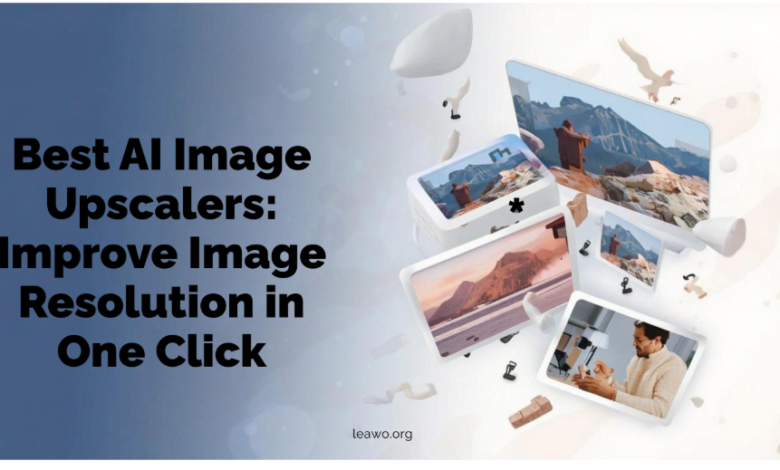
Image resolution matters more than ever today. Low-quality photos look blurry and unprofessional. They lose important details. Traditional resizing methods often make things worse. They create pixelated and distorted results.
AI image upscalers have changed everything. These smart tools use artificial intelligence to enhance photos. They add missing details intelligently. They improve clarity without losing quality. You can transform low-resolution images into sharp, high-quality pictures with just one click.
Part 1: Best AI Image Upscalers to Try
1. Upscale Pics
Upscale Pics offers a simple solution for image enhancement. This tool works entirely online. You don’t need to download any software.
Core Features:
- Increases image size up to 4x the original resolution
- Supports multiple image formats including JPG and PNG
- Processes images quickly with cloud-based technology
- Offers batch processing for multiple files
- Provides a user-friendly interface
The tool removes noise automatically. It sharpens edges effectively. Users can preview results before downloading.
2. Leawo Photo Enlarger
Leawo Photo Enlarger stands out for its powerful AI engine. This desktop application delivers professional results. It works on both Windows and Mac systems.
Core Features:
- Enlarges photos up to 40x without quality loss
- Uses advanced AI algorithms for detail restoration
- Fixes blurry and low-quality images automatically
- Supports batch processing for efficiency
- Offers adjustable enhancement levels
- Includes noise reduction capabilities
The software analyzes each image carefully. It identifies areas that need improvement. It then adds realistic details based on AI training.
3. Topaz Gigapixel AI
Topaz Gigapixel AI ranks among the most powerful upscalers available. Professional photographers trust this tool. It delivers exceptional results for demanding projects.
Core Features:
- Enlarges images up to 600% their original size
- Uses deep learning trained on millions of images
- Recovers fine details and textures naturally
- Handles different image types effectively
- Offers standalone and plugin versions
- Provides extensive customization options
This tool excels at preserving natural textures. It maintains image authenticity throughout the process.
4. VanceAI Image Enlarger
VanceAI Image Enlarger combines speed with quality. This online platform serves both casual and professional users. It offers flexible pricing plans.
Core Features:
- Upscales images up to 8x resolution
- Processes images in seconds
- Supports various enhancement modes
- Offers API integration for developers
- Includes additional editing tools
- Provides both free and paid options
The platform uses neural networks for processing. It learns from vast image databases. This helps create realistic enhancements.
5. Let’s Enhance
Let’s Enhance focuses on ease of use. This web-based tool requires no technical knowledge. Anyone can improve their images quickly.
Core Features:
- Increases resolution up to 16x
- Offers multiple AI models for different needs
- Includes color correction features
- Supports JPEG artifact removal
- Provides batch processing capabilities
- Delivers fast processing times
The tool automatically selects the best AI model. It adjusts based on your image type. This ensures optimal results every time.
6. AI Image Enlarger
AI Image Enlarger provides a straightforward approach to upscaling. This free online tool appeals to budget-conscious users. It delivers solid results without cost.
Core Features:
- Offers completely free basic upscaling
- Supports images up to 4x enlargement
- Works directly in your browser
- Requires no registration for basic use
- Processes standard image formats
- Provides quick turnaround times
The tool uses proven AI technology. It smooths pixels intelligently. Results look natural and clean.
Part 2: Pros and Cons of Using AI Upscalers
Pros
Time-Saving Efficiency
AI upscalers work in seconds. Manual editing would take hours. You can process multiple images simultaneously.
Quality Preservation
These tools maintain image integrity. They add details instead of just stretching pixels. Results look professional and natural.
Accessibility
Many options exist for different skill levels. Both beginners and experts can use these tools. No advanced technical knowledge is required.
Cost-Effective
Free and affordable options are widely available. You don’t need expensive software. Cloud-based tools eliminate hardware requirements.
Versatility
AI upscalers handle various image types. They work on photos, graphics, and illustrations. Different modes serve different purposes.
Cons
Limited Control
Automated processes may not match your exact vision. Fine-tuning options vary between tools. Some details might look artificial.
File Size Issues
Upscaled images become significantly larger. Storage space requirements increase. File transfers take longer.
Internet Dependency
Online tools require stable connections. Slow internet affects processing speed. Privacy concerns exist with cloud uploads.
Processing Limitations
Extremely low-quality images have limits. AI cannot create information that doesn’t exist. Some damage is irreversible.
Subscription Costs
Premium features often require payment. Regular users face ongoing expenses. Costs can add up over time.
Part 3: Real Use Cases of AI Image Upscalers
1. For Printing
Print quality demands high resolution. Small digital images look terrible when printed large. AI upscalers solve this problem effectively. You can increase resolution of image files for professional printing. Posters need sharp details. Marketing materials must look crisp. Product catalogs require clear visuals. Photographers expand their print options. Old digital photos become suitable for large prints. Business owners create high-quality promotional materials.
2. Restore Old Photos
Family photos fade and degrade over time. Scanning creates low-resolution digital copies. AI upscalers breathe new life into memories. These tools enhance scanned photographs beautifully. They recover lost details from aging prints. Colors become more vibrant. Faces appear clearer. Historical preservation benefits greatly. Archives digitize old documents and images. Museums restore vintage photographs. Genealogists improve family photo collections.
3. For Social Media
Social platforms favor high-quality content. Blurry images get less engagement. Profile pictures need clarity. AI upscalers prepare images for different platforms. Instagram stories require specific dimensions. YouTube thumbnails must grab attention. LinkedIn profiles demand professional quality. Content creators maintain consistent quality. Influencers enhance their visual presence. Businesses improve their brand image.
4. Improve Textures
Product photography requires detailed textures. E-commerce sites need clear material representations. Customers want to see fabric weaves and surface details. AI upscalers enhance texture visibility. Clothing websites show fabric quality. Furniture stores display wood grains. Food bloggers capture appetizing details. Game developers use upscalers for asset creation. Artists enhance digital paintings. Designers improve reference materials.
Part 4: Conclusion
AI image upscalers have revolutionized photo enhancement. They offer powerful solutions for resolution problems. The six tools reviewed here each bring unique strengths. Choose tools based on your specific needs. Consider your budget and technical requirements. Think about the image types you work with most.
Use these powerful AI upscalers wisely. They create impressive results in most cases. However, understand their limitations. Extremely damaged or low-quality images have boundaries. AI enhances existing information but cannot create it from nothing. Start with free trials when available. Test different tools on your images. Compare results to find your preferred option. Combine upscaling with other editing techniques for best results.
The future of image enhancement is here. Take advantage of these innovative tools. Transform your low-resolution images into high-quality masterpieces today.